Every Webflow site I hand over has a contact form. And almost every client asks the same thing a week later: "Can the submissions go into a Google Sheet?"
It sounds like a five-minute job. It isn't. I built FormsToSheets by Forms Bridge because I was tired of answering that question with a monthly bill or a weekend of fiddling. This article walks through the problem, the product decisions behind it, and how I designed and built it.
The small question that costs real money
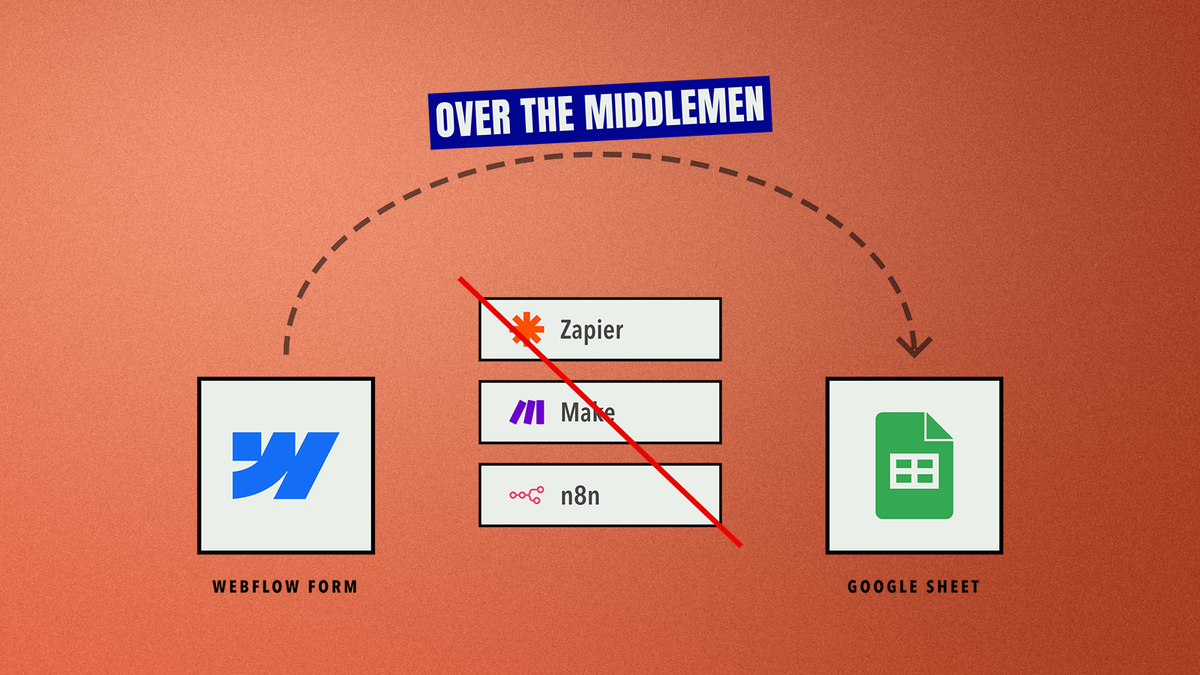
Webflow keeps form submissions inside Webflow. Clients don't want to log in to Webflow to read their leads. They want a spreadsheet they can sort, filter and share with their sales person. You have three options, and none of them is great:
- Zapier or Make. Easy to set up, but it's another subscription. Multiply it by every client site and you're paying every month to move a few rows of text. They do email you when a run fails, but the fix is still yours: log in, find the broken step and reconnect the account, one client at a time.
- n8n on your own server. Free on paper. In practice you're running Docker, keeping a server alive, updating it and learning a new tool. You signed up to build websites, not to restart a server at 11 pm.
- Write it yourself. A Google Apps Script, a deployment, a webhook, then a test on every form. That's about 45 minutes of building and 15 minutes of emails and calls with the client to get access and approvals. At $60 an hour, that's $60 per site, every time.
- Build it with AI, or turn it into a skill. Claude can write the Apps Script in seconds, and a saved skill makes the next one even faster. But someone still has to deploy it, authorize it, set up the webhook and test every form. And AI can't do the client's part: getting access, walking them through Google's approval screens and answering "it's not working" messages. That time stays the same on every site.
I've talked to other freelancers and agency developers, and they all feel the same. We don't hate automation. We hate paying for it every month and babysitting it forever.
Thinking about it as a product, not a task
The easy route would have been to write a better script for myself. Instead I asked a different question: what would a tool look like that any Webflow developer could hand to any client in two minutes? That question forced some decisions early on:
- There are two users, not one. The developer sets it up and the client approves it. The client isn't technical, so their part has to be one link, a Google sign-in and a few clicks.
- The client owns their data. Submissions go from Webflow straight into a script in the client's own Google account. They never pass through FormsToSheets. That's better for privacy, and it means there's no database of other people's leads sitting on my server.
- Ask Google for as little as possible. FormsToSheets always creates a new spreadsheet instead of asking to see the client's existing files. That's a bit less flexible, but a client is much happier to approve "create one new sheet" than "access all your files".
- It has to work without me. If the FormsToSheets app goes offline, the connections keep working, because the data never depends on it.
- No monthly fee. You pay once for each client setup.
How it works
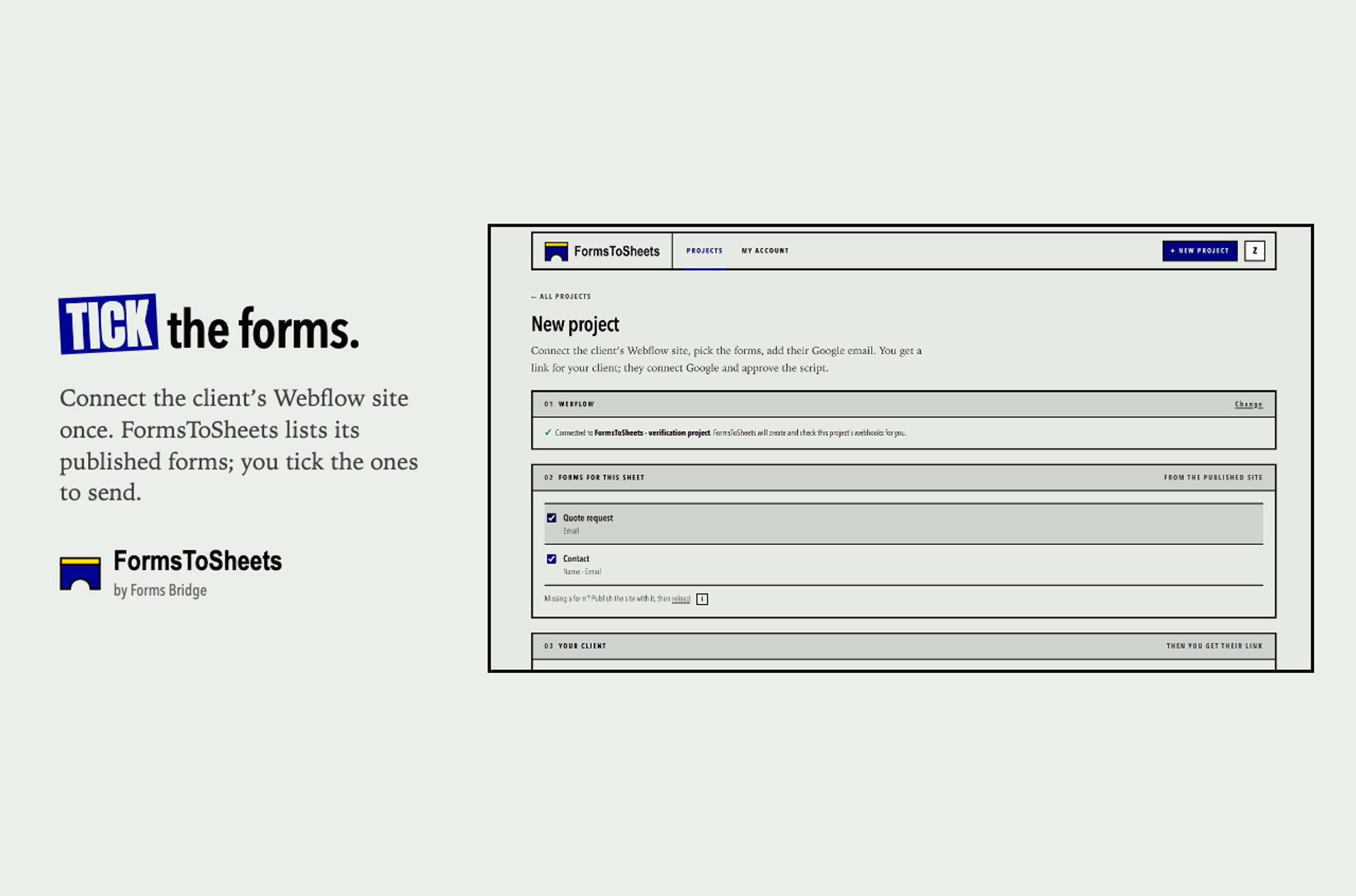
1. Tick the forms. You connect the client's Webflow site once. FormsToSheets lists its published forms, and you tick the ones that should go to the sheet.
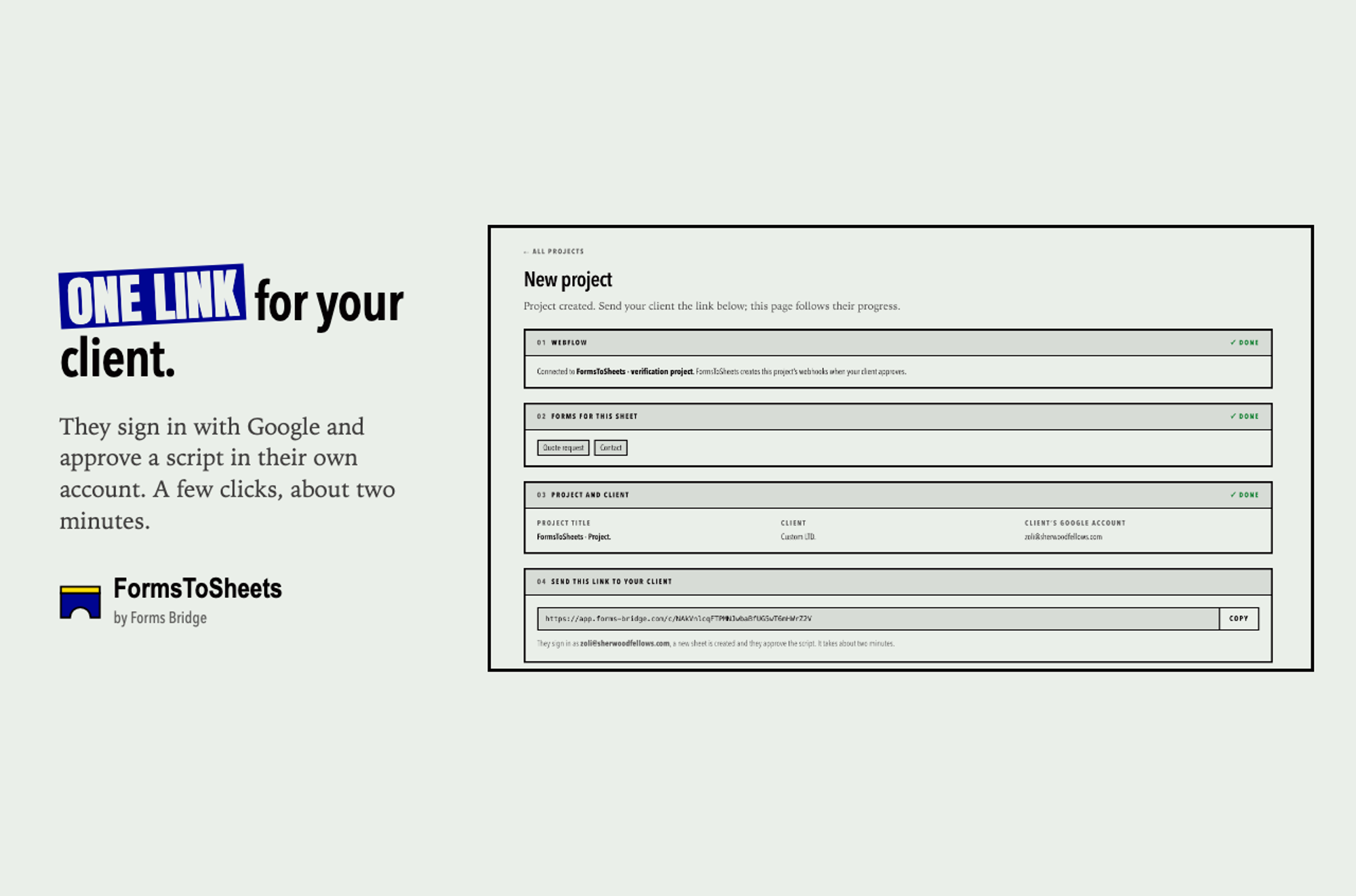
2. Send one link to your client. FormsToSheets gives you a link for your client. They sign in with Google and approve a script in their own account. It takes about two minutes, and your project page shows their progress live.
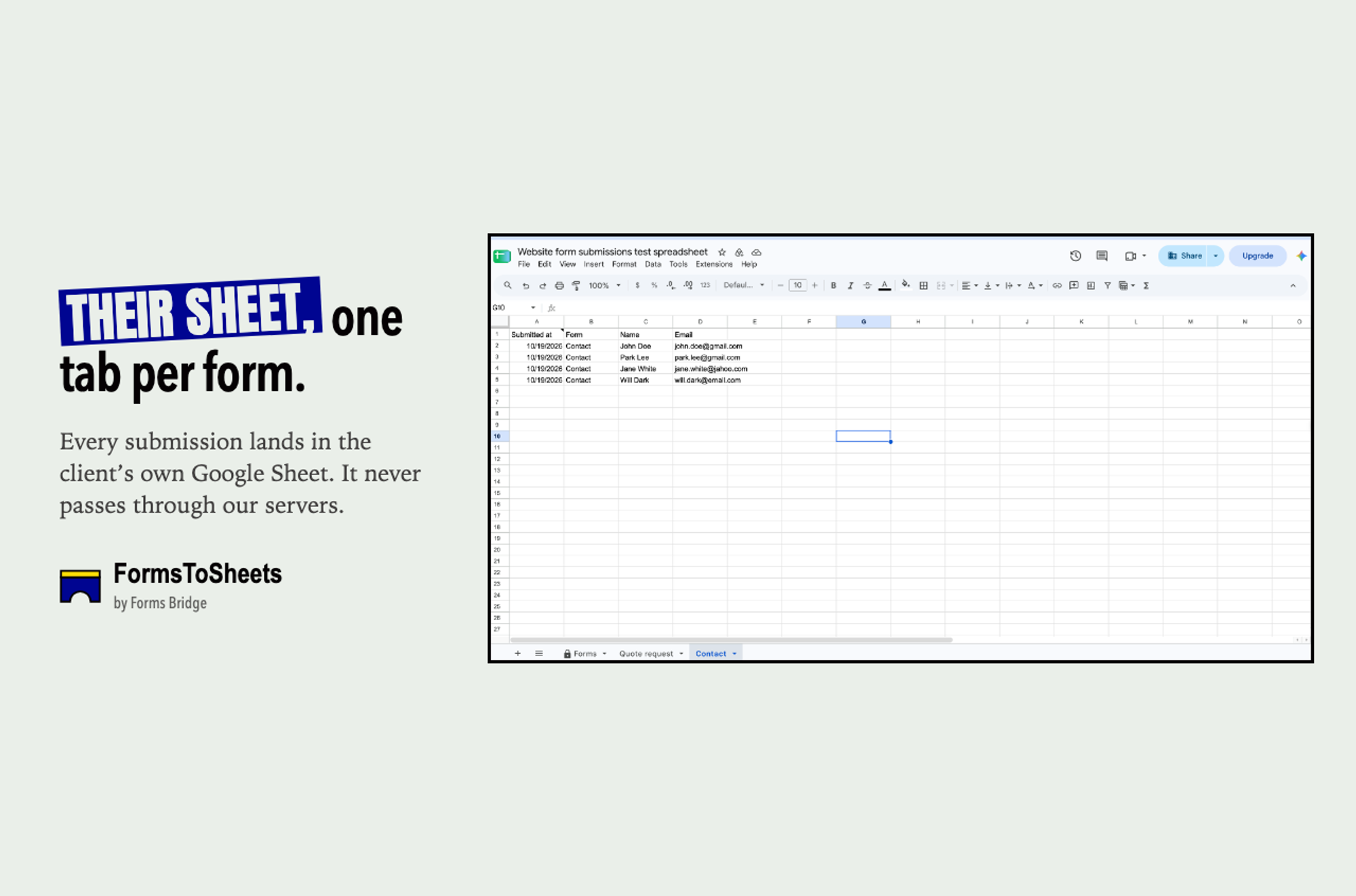
3. Submissions land in their sheet. Each form gets its own tab, and the columns come from the form's fields. If you add a field to the form later, the sheet catches up on the next submission.
The hard part: what happens after handover
Connecting a form to a sheet is the easy 20%. The other 80% is what happens three months later, when someone renames a tab, deletes a webhook or removes the script's access, and leads quietly disappear. That's where most of the work went:
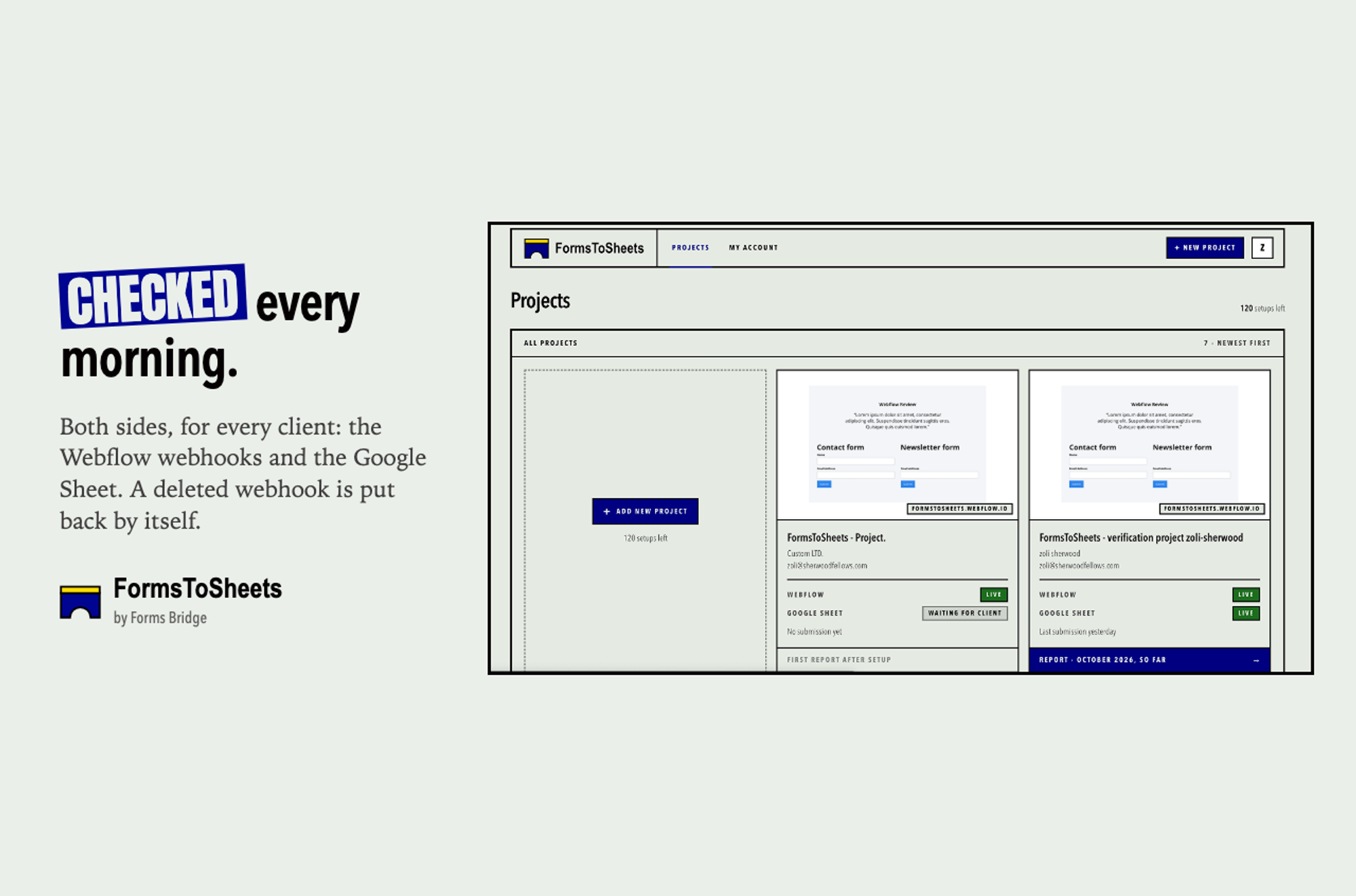
- Checked every morning. FormsToSheets checks both sides of every client's connection each day: the Webflow webhooks and the Google Sheet.
- Fixes itself where it can. If a webhook gets deleted, FormsToSheets puts it back by itself.
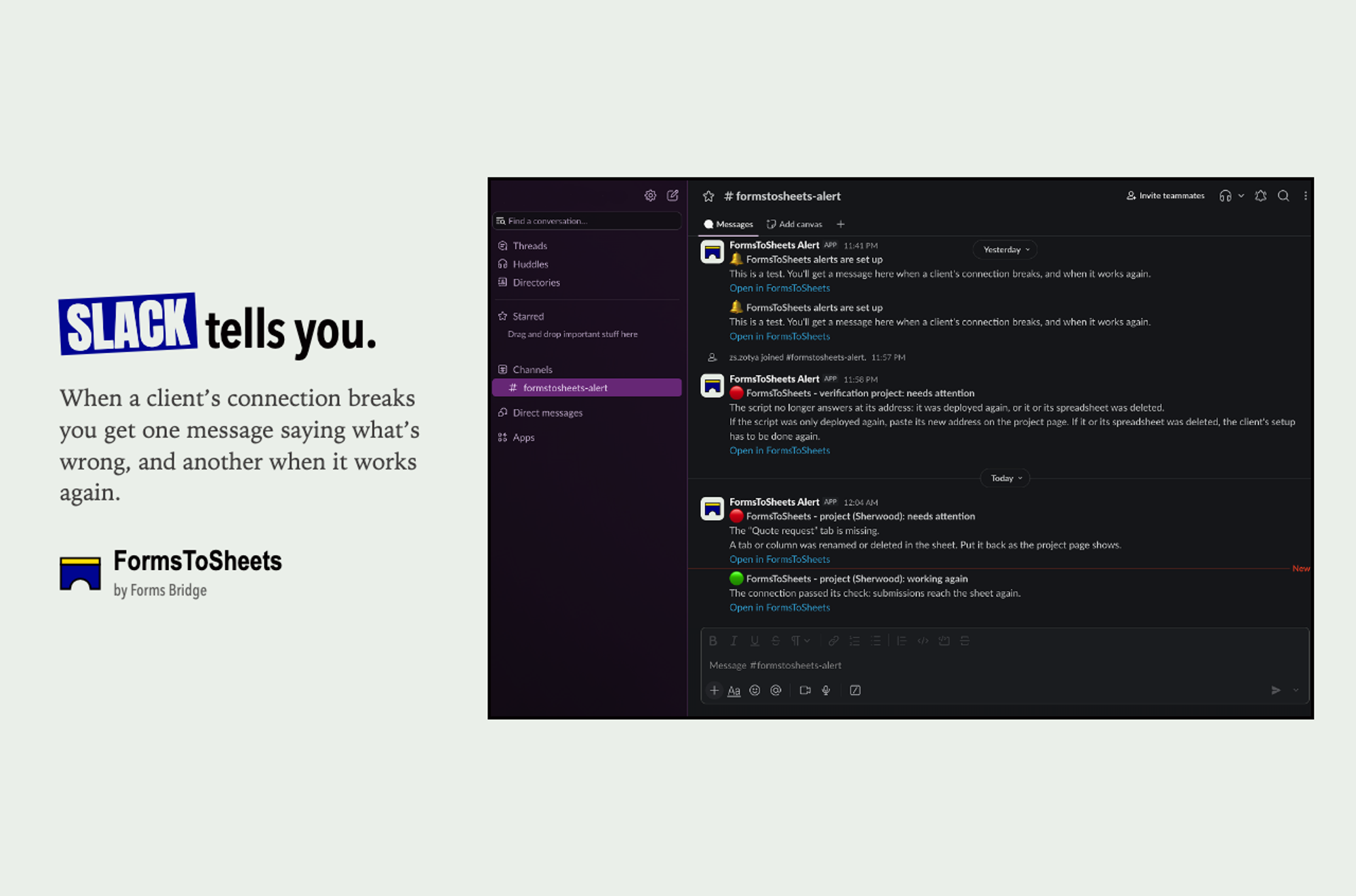
- Tells you where it can't. When something breaks, you get one message in Slack (or any webhook, such as Zapier, Make, n8n or your own server). It says what's wrong in plain words, for example "The Newsletter tab is missing. Put it back as the project page shows." When it works again, you get a second message.
- Doesn't weaken the site. The client's script address stays out of the site's code, and Webflow's own spam filter still works.
- Gives you something to show the client. A monthly report for each client, shared as a link or saved as a PDF, so you can show that the forms work instead of just saying so.
Designing it
I designed FormsToSheets the same way I design client sites: I start from who reads the screen and what they need to do next.
The app is plain on purpose. It has numbered steps (01 Webflow, 02 Forms, 03 Your client), clear status labels like LIVE, WAITING FOR CLIENT and NOT CONNECTED, and no hidden menus. A developer can glance at the projects page and know straight away which client needs attention. The client side is even simpler, because every client who gets stuck becomes a support email.
The words are part of the design too. Every alert says what happened and what to do, in words a client could understand.
Building it with Claude
I built FormsToSheets with Claude as my development partner. That's the agentic development I offer my clients, and this was the best way to put it to the test with my own money and my own deadline.
Claude writes a lot of the code fast, but the product decisions are still mine: which permissions to ask for, what happens when a webhook disappears, what the client sees when something goes wrong, and which edge cases matter. My job moved from typing every line to designing the system, reviewing the code and testing it the way a real client would break it.
That's how one person could take FormsToSheets from an idea to a working product, with a dashboard, alerts, reports, Webflow, Google and Slack connections, and a marketing site.
The numbers
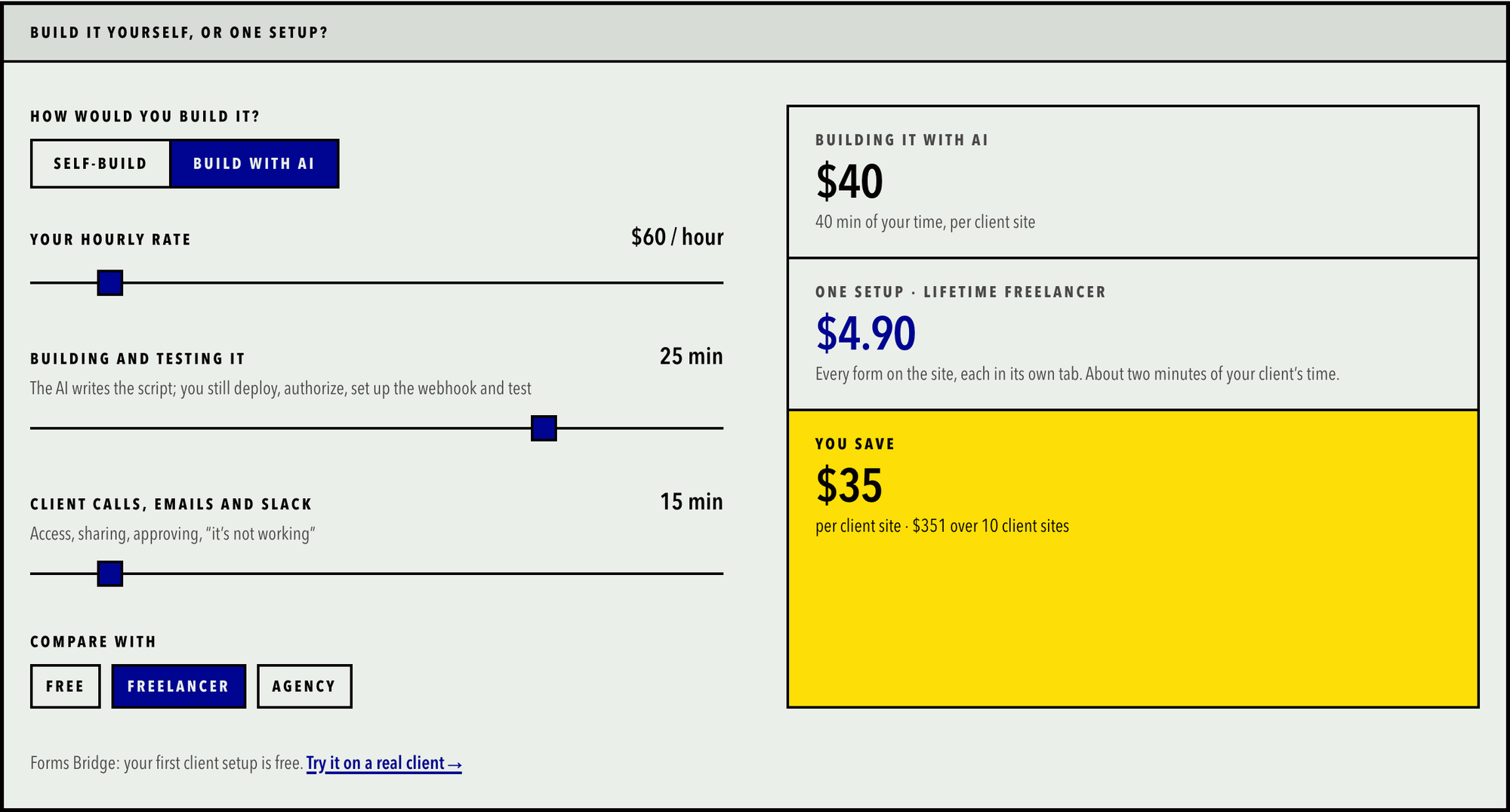
The FormsToSheets website has a calculator that shows the real cost:
- Building it yourself: about one hour per client site (45 minutes of building and testing plus 15 minutes of back-and-forth with the client). At $60 an hour, that's $60 per site.
- Building it with AI: about 25 minutes of building and testing, plus the same 15 minutes with the client. That's $40 per site.
- With FormsToSheets: $4.90 per site on the Freelancer plan, and about two minutes of the client's time.
- Savings: about $55 per client site compared with building it yourself, or $35 compared with building it with AI. Across 10 sites, that's around $550 or $350.
There are no task limits and no monthly fees. Try the calculator with your own hourly rate at forms-bridge.com.
What this project says about how I work
If you run a Webflow or agentic development agency, here's the short version. I don't just take a finished design and rebuild it in Webflow. FormsToSheets is a small example of the whole job:
- Spotting a real problem that costs agencies time and money.
- Making product decisions about privacy, permissions, pricing and who the user is.
- Designing the interface for two very different groups of people.
- Building and connecting Webflow, Google Apps Script, Slack and a web app, using AI tools responsibly.
- Thinking beyond launch day: monitoring, alerts, and what happens when things break.
That's the kind of thinking I bring to client projects and agency teams.
Try it
If you build Webflow sites for clients, try FormsToSheets at forms-bridge.com. Your first client setup is free. After that there's no subscription: you pay once per setup, with $49 for 10 setups or $75 for 25. Connections you've already set up keep working even after you've used all your setups.
And if you'd like this kind of problem-solving on your own projects, book a call with me.