I now run my business email in Thunderbird with Purelymail behind it. I kept the Gmail layout I was used to, lost the ads and upgrade banners, and pay about 10 USD a year.
Twenty years in a browser tab
I have used Gmail in the browser, and only in the browser, for more than two decades. I never connected it to a desktop app.
That was a choice. I have always disliked desktop email clients. Apple Mail and Outlook both felt heavy and awkward to me, and every time I tried one I went back to the Gmail tab within days.
So I am the last person I expected to write an article recommending a desktop email client.
What pushed me away
Two things made me want to leave Gmail for my business email, and a third forced the timing.
First, I wanted an open source tool. My business correspondence is the part of my work I most want to keep under my own control, and I would rather it ran on software anyone can inspect.
Second, the Gmail interface had become noisy. There are ads in the inbox, banners I never asked for, and a button inviting me to upgrade to a Workspace plan. None of that helps me answer a client.
The deadline: January 2027
The third reason is a date. In January 2027 Gmail removes its "Send as" feature for third-party addresses, according to Google's help page.
That breaks the setup from my previous article. There I showed how to run a business address from a normal Gmail account: Cloudflare email forwarding delivered incoming mail to my Gmail inbox, and "Send as" let me reply from the business address. It works properly and it is completely free.
From January the receiving half still works, because forwarding into Gmail is not affected. The sending half is gone. I could read a client's email in Gmail but no longer answer it from my business address, which makes the setup useless for business.
So I had to move anyway. This article is what I moved to.
Thunderbird on first launch
Thunderbird is the open source email client I settled on. This is what it looks like straight after installation, before I changed anything.
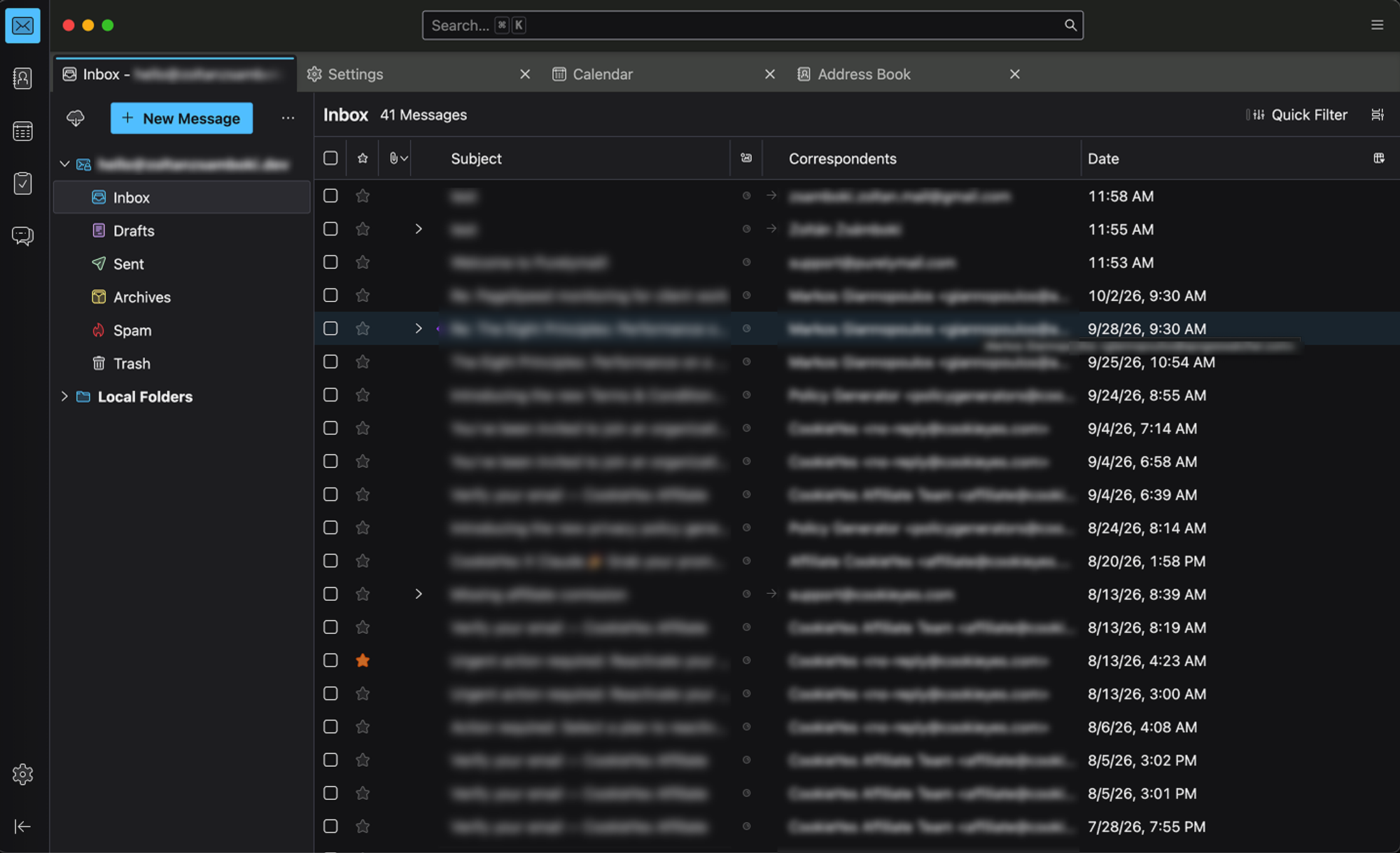
It works, but it looks like exactly the kind of email app I spent twenty years avoiding. If it had stayed like this, I would have gone back to the browser.
Making it feel like Gmail
Thunderbird can be reshaped, and that is what won me over. I set it up with a light, Gmail-style theme and arranged the layout to match what I already knew.
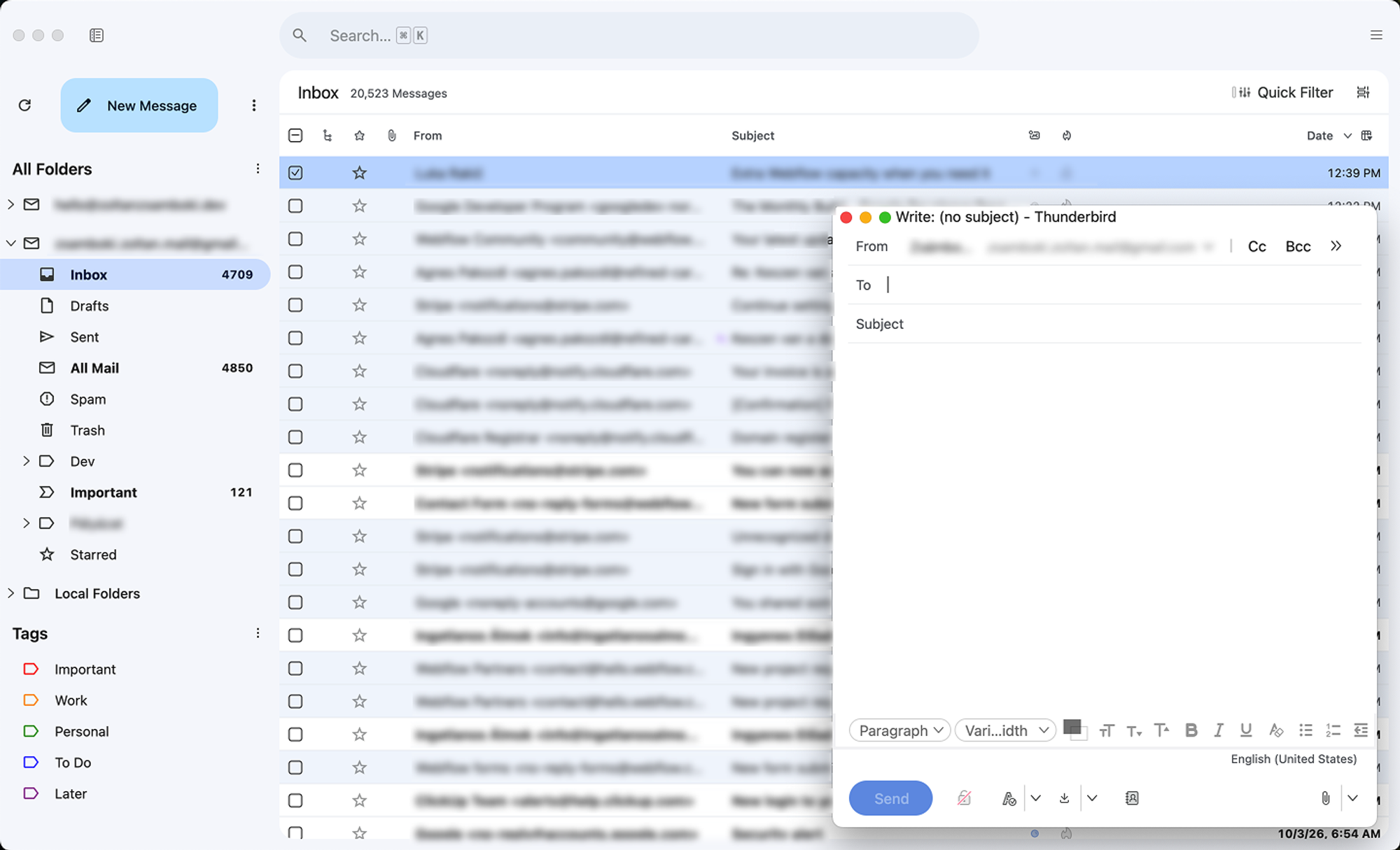
The result is very close to the experience I had before. My folders, my message list and my reading habits are all where my hands expect them, so my workflow carried over almost unchanged.
The difference is what is missing. There are no ads, no banners and no upgrade button. It is the Gmail experience I liked, with only my email in it.
How to install the Gmail-style theme
The theme I use is called Clean Inbox Light, and you can download it here: clean-inbox-light-1.4.0.xpi
Download the file, do not click to install it. Right-click the link and choose Save Link As… to save it to your computer. If you simply click an .xpi link in Firefox, Firefox tries to install the theme into itself and shows an error. The theme belongs in Thunderbird, not in your browser.
Then install it in Thunderbird:
- In Thunderbird, open ☰ → Add-ons and Themes.
- Click ⚙ → Install Add-on From File… and choose
clean-inbox-light-1.4.0.xpi. - Click Add. The theme applies immediately.
To remove it, go to Add-ons and Themes → Themes, then enable another theme or click Remove.
Purelymail behind it

Thunderbird is only the app. The mail itself now lives at Purelymail, and the price is the reason: I pay about 10 USD a year.
Google's suggested replacement for a custom domain is a paid Google Workspace account. I would rather pay 10 USD a year to Purelymail than a Workspace subscription for the same job.
That covers multiple email accounts. Purelymail does not charge me per business mailbox, which is how most providers turn a cheap plan into an expensive one as soon as you add a second address.
For a small business that needs a few addresses on its own domain, that is hard to beat.
It runs everywhere I work
Thunderbird runs on Windows and on Mac, so my setup is the same on every computer I use. There is also an official Android app, so my business mail is on my phone without going through a browser or a third-party client.
What stays on Gmail
I have not left Google entirely. My personal accounts are still on Gmail, in the same browser tab as always.
This was never about quitting Gmail on principle. It was about my business email: I wanted it on open source software, at a fair price, without anything on screen trying to sell me something. Thunderbird and Purelymail give me that, and it still feels like the inbox I have used for twenty years.